
The Fulton County Court Calendar
Fulton County posts no standalone daily calendar on its official county pages. For remote checking, the practical option is Indiana MyCase. Open a public case summary and look for dated HearingEvent entries. Each entry may list a time. It can also name the court, a judge, a session, a cancellation, or a result. Weigh the newest event most heavily. Older dates can linger on screen after a hearing moves.
Hearings in Fulton County split between Fulton Circuit Court and Fulton Superior Court. Both courts run on the statewide Odyssey system, yet each manages its own proceedings. Indiana Administrative Rule 9 obliges trial courts to publish daily calendars and dockets. Electronic publication or other means will satisfy that duty. The county offers no local calendar page, so ask court staff about the day's list. It may hang at the courthouse, sit on a public terminal, or be handed over on request.
Fulton Calendar Events in MyCase
A hearing entry sits inside the chronological case summary. It is not a promise the event will happen as first listed. In Fulton County case data you may see the date and time, court name, session, judge, display text, cancellation status, cancellation reason, or result. Fields can be blank. A future hearing may carry a date and time before any judge appears.
The MyCase help pages are clear that the portal is a public access tool, not the official court record. So read the whole event sequence. Spotted a cancellation? Look for a later setting beneath it. When the order of entries confuses you, call the court with the case number in hand; staff can then tell a Circuit setting from a Superior one and avoid mix-ups between similar captions. Keep in mind that a date in an older event can stay visible after the Fulton County court calendar changes.
How to Find Your Court Date
Begin with the strongest case identifier you have, then confirm current status through the channel that fits. A docket search only goes so far. Fulton County offers remote search, court phone lines, the clerk, courthouse access, and public streams, and each answers a different question.
- Open MyCase, select Fulton County, and search by the exact case or citation number when known.
- Open the match. Confirm the court, case type, status, and caption before reading Events.
- Find the newest HearingEvent. Record its date, time, court, judge or session, and any cancellation or result.
- Check Indiana Courtroom Live Streams if the court directed the public to a stream.
- Confirm an uncertain date with Circuit at 574-223-4339 or Superior at 574-223-3506. Published hours include a noon to 1:00 p.m. closure.
- For filing status, service, payment, or a certified setting record, contact the Fulton County Clerk of Courts or visit its counter.
An attorney or an official notice may carry instructions tied to your case. Never let a stream listing or a stale portal event override them. When the case itself is hard to pin down, the Fulton County case search page offers more help with a case lookup.
Fulton Courtroom Streams and Settings
The Fulton Circuit Court page links official viewing instructions for Indiana Courtroom Live Streams. A viewer picks Fulton County first. Then the viewer finds the courtroom and hits "Watch Now." The county says an active stream should load within about one minute. Even so, availability hinges on the proceeding, the judge, the equipment, and confidentiality rules. The official INCS selector shows the county and courtroom choice in action.
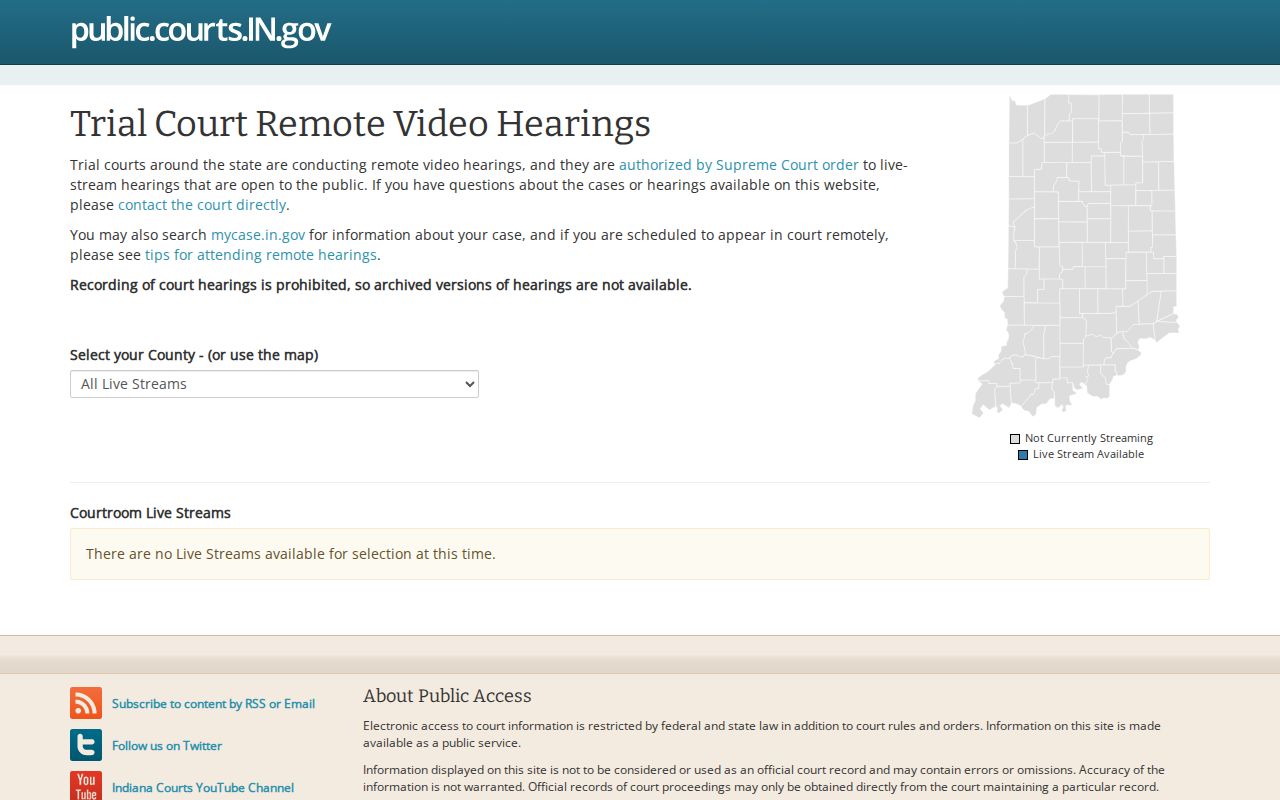
Treat the selector as a live-view channel, not a historical Fulton County court calendar. A missing "Watch Now" control does not cancel a hearing. Watching is not appearing, joining, receiving notice, or creating a transcript. It is only watching. Participate only through a link the official court channel supplies.
Reading a Fulton Court Setting
Read a Fulton County court setting as a set of fields, never a date alone. Confirm which active trial court holds the case first. Then check the newest docket entry. Does it report a move or a cancellation? Blank fields call for a phone call, not a guess.
| Date | The scheduled day on the latest hearing event. Check for a newer event. |
|---|---|
| Time | The event or session time. Verify whether the court expects an earlier check-in. |
| Courtroom | Fulton Circuit is published in Room 315; Fulton Superior is in Room 216. |
| Judge | The judicial officer shown, when populated. A blank field does not void the setting. |
| Setting Type | The event description, such as a conference, hearing, arraignment, or trial setting. |
| Status | Any cancellation, result, continuance, or later event that changes how the date is read. |
Under Rule 9, a daily calendar lists the case number, caption, date, time, and location. MyCase adds useful history, but the court itself remains the source for the current setting.
Fulton Remote Hearing Limits
Remote viewing and remote participation are two different things. Indiana Interim Administrative Rule 14 allows some non-testimonial proceedings to be held remotely. A testimonial proceeding is one where testimony is taken. It generally stays in person unless the rule's conditions permit remote participation. The court must still guard confidential communications and preserve the record. The official rule page lays out the framework governing Fulton County remote proceedings.
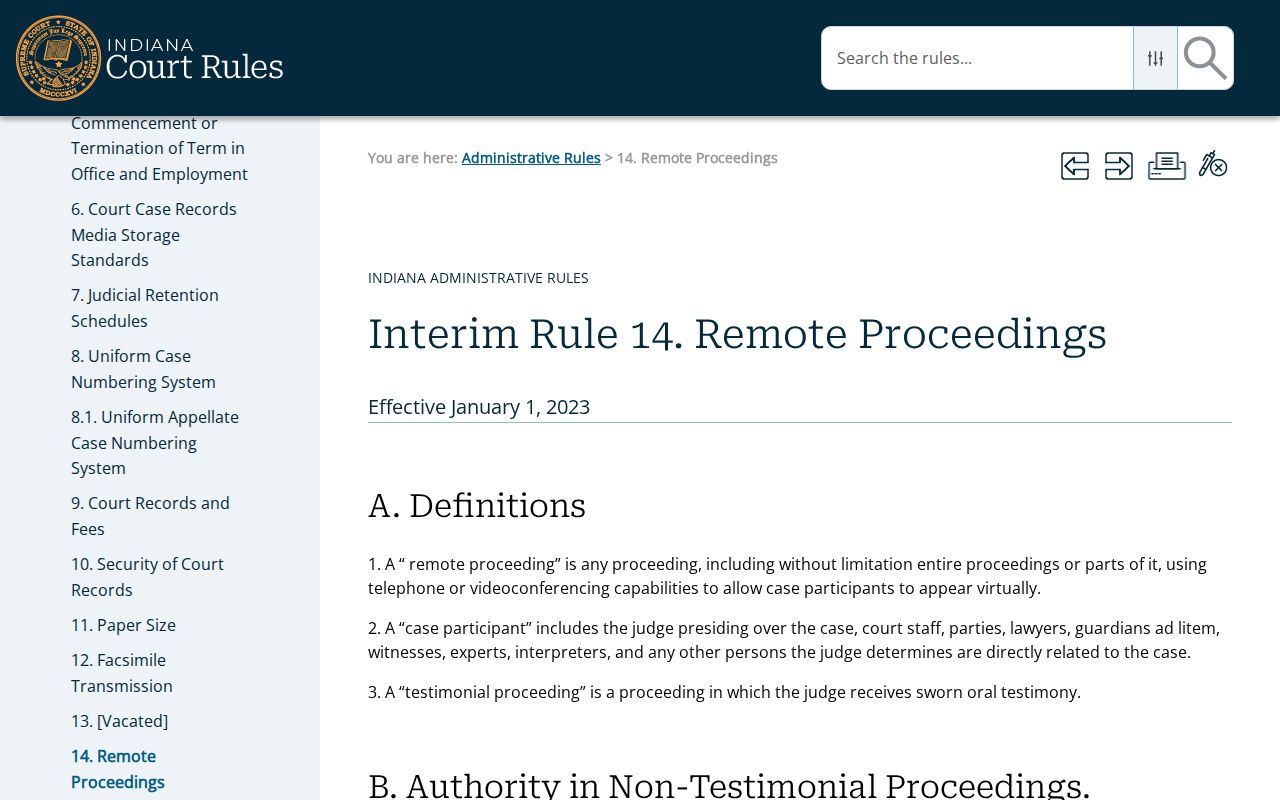
The rule grants no public right to join every hearing. Follow the court's notice and ask which method is approved. A public stream can be switched off for protected testimony, juvenile matters, or other restricted material. The hearing still stays on the court calendar. A public stream is not a certified record. It is no substitute for the court's own directions.
Fulton Calendar Resets and Cancellations
Fulton County calendars shift for three reasons. A continuance moves an event to a new time. A reset gives it a fresh setting, and a cancellation takes the event off the list. None of these dismisses the case by itself. MyCase often keeps both the original event and the later one in sequence. The order of entries tells the story. Some HearingEvent records spell out a cancellation reason or result. Others leave you reading plain text plus whatever comes next.
Work backward from the newest entry. Check the case status and the court name too. If no new date appears anywhere, call the court that maintains the case; Fulton Circuit and Superior run separate phone lines, and the clerk is the better contact for whether a filing was entered, whether service is recorded, or when a certified record is needed. Staff will not give legal advice or predict a judge's ruling.
One caution about continuances. A motion asking for one is not an order granting it. Until the docket shows an order, a new event, or court confirmation, treat the listed Fulton County court date as live.
Fulton Court Calendar Terms
Short labels hide real differences on a Fulton court calendar. These terms separate a planned event from the order or result that follows it.
- Setting
- A scheduled court event with a date and, usually, a time.
- HearingEvent
- The MyCase event family that can hold hearing, session, judge, cancellation, and result fields.
- Continuance
- A delay that moves a proceeding to a later setting.
- Cancellation
- The listed event will not proceed as scheduled. It does not mean the case ended.
- Result
- The recorded action from a setting, when the public event exposes that field.
Trust the displayed words. "Set," "continued," "canceled," "dismissed," and "disposed" each carry a distinct meaning. When event text stays vague, ask the court about the schedule and the clerk for the official entry.
Fulton Daily Calendar Access
Rule 9 requires daily calendar and docket access. But it lets courts provide that electronically or by other means. Fulton County posts no dedicated public daily-calendar URL. That alone proves nothing: MyCase is not necessarily the only calendar, and a daily list may still exist in another form.
So ask where the current calendar is posted and whether a public terminal or printed list can be viewed. The clerk and both court offices sit at 815 Main Street in Rochester. Published court hours run Monday through Friday, 8:00 a.m. to 4:00 p.m. The offices close from noon to 1:00 p.m. Confirm before you travel. Holidays, security, and staffing can all change access on any given day.
Local access point. Fulton County names no daily-calendar coordinator and posts no official daily-calendar page. Until that changes, MyCase, the court offices, and courthouse postings are the working chain for daily calendar access.
Missed Fulton County Court Settings
Move fast after a missed Fulton County court setting. Open MyCase first. Note the newest event, the maintaining court, and the case number. Then call the correct court office. Ask which public entry now appears and whether a new setting has been entered. Payment questions go through the clerk. So do filings and certified records.
What happens next depends on the case and the court's order. The portal may lag behind the docket, and staff cannot substitute for legal advice. Do not assume a stream failure excuses an absence. The same goes for a calendar error or a blank judge field. Keep every official notice and write down whom you contacted.
Missed a setting? Contact Fulton Circuit Court or Fulton Superior Court at once. Confirm the next step through the court, not an old calendar entry.